 Forkyard
The powerful Git client.Free and open source.
No subscription. No cost. All local.
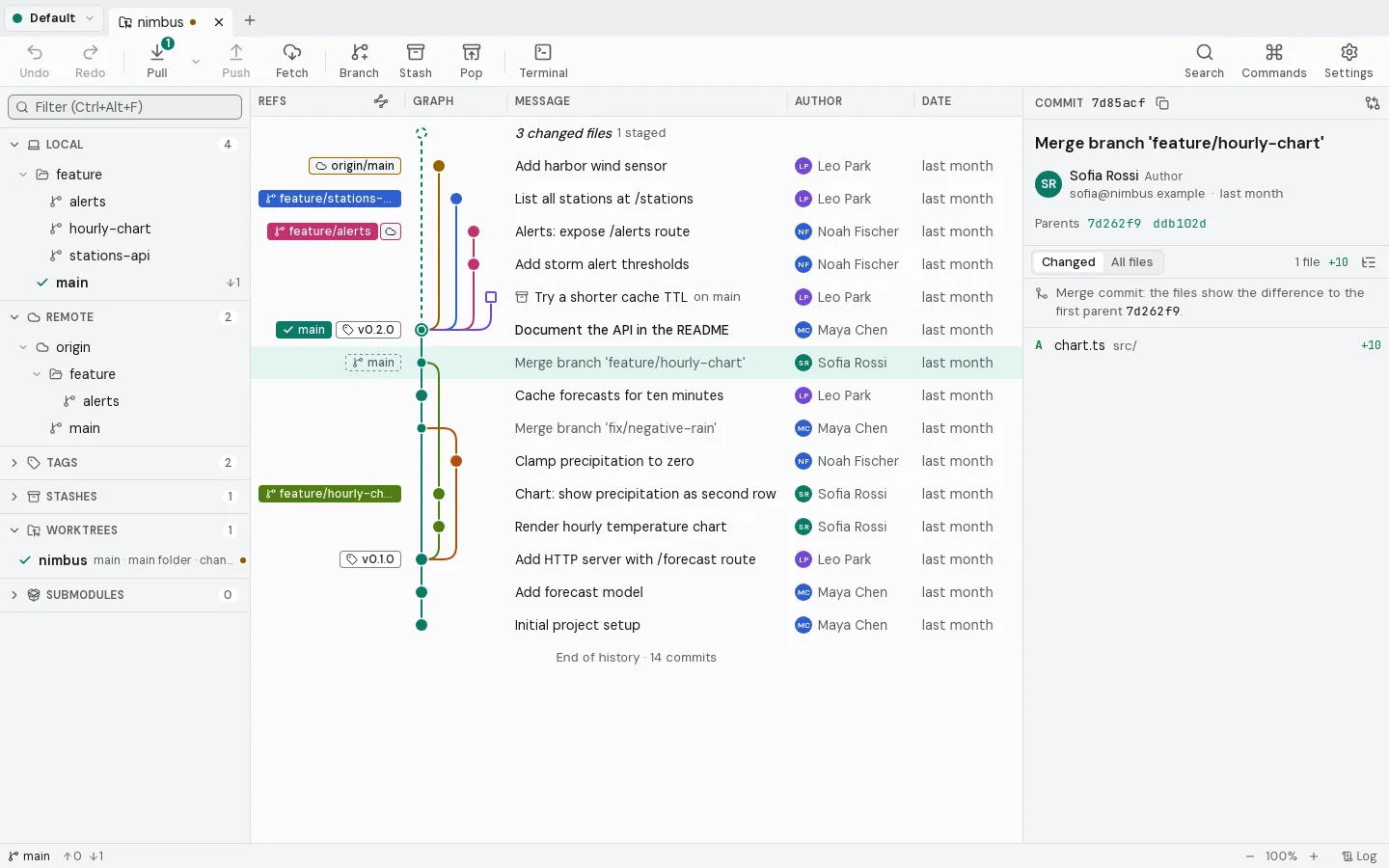
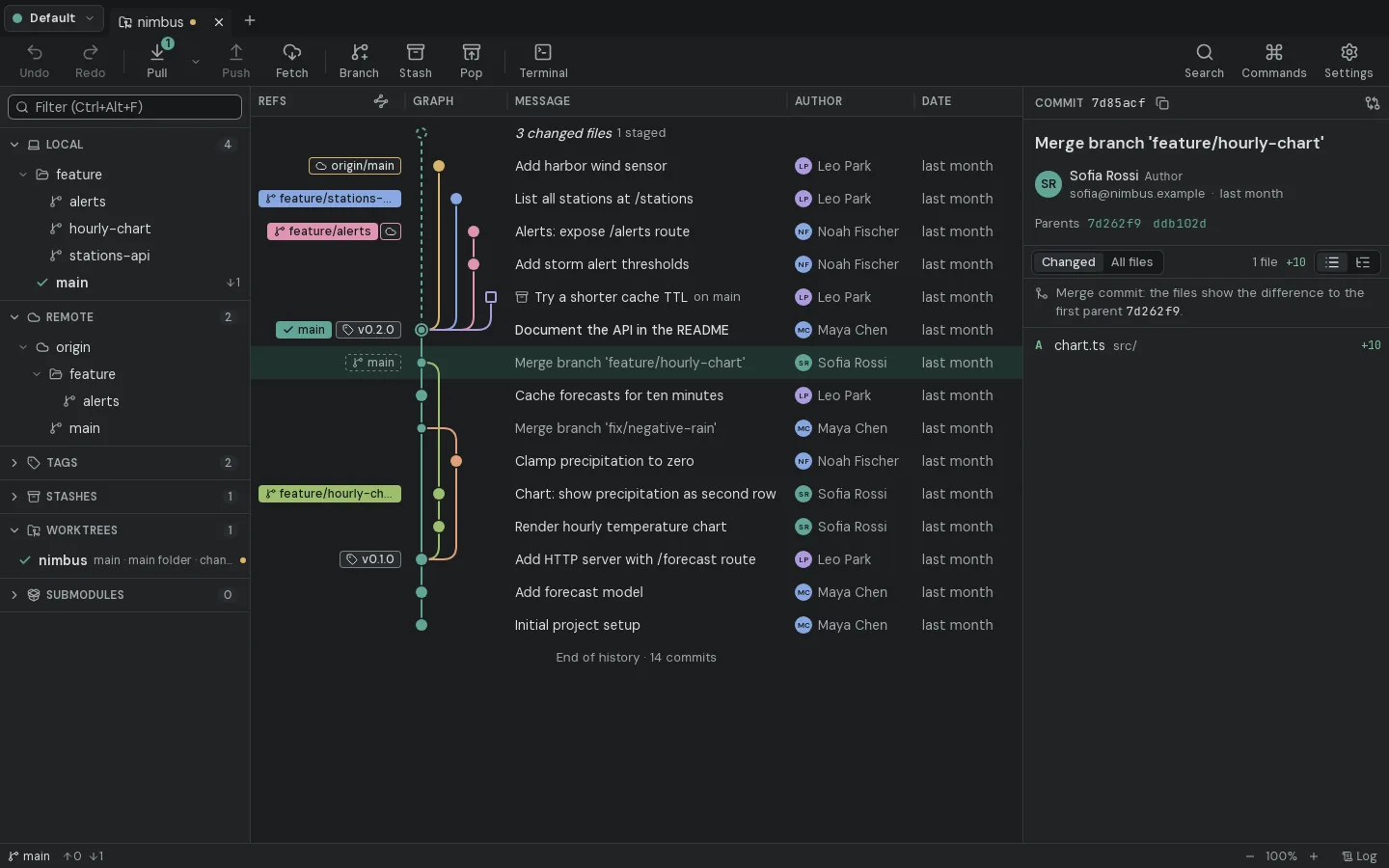
Every branch at a glance.
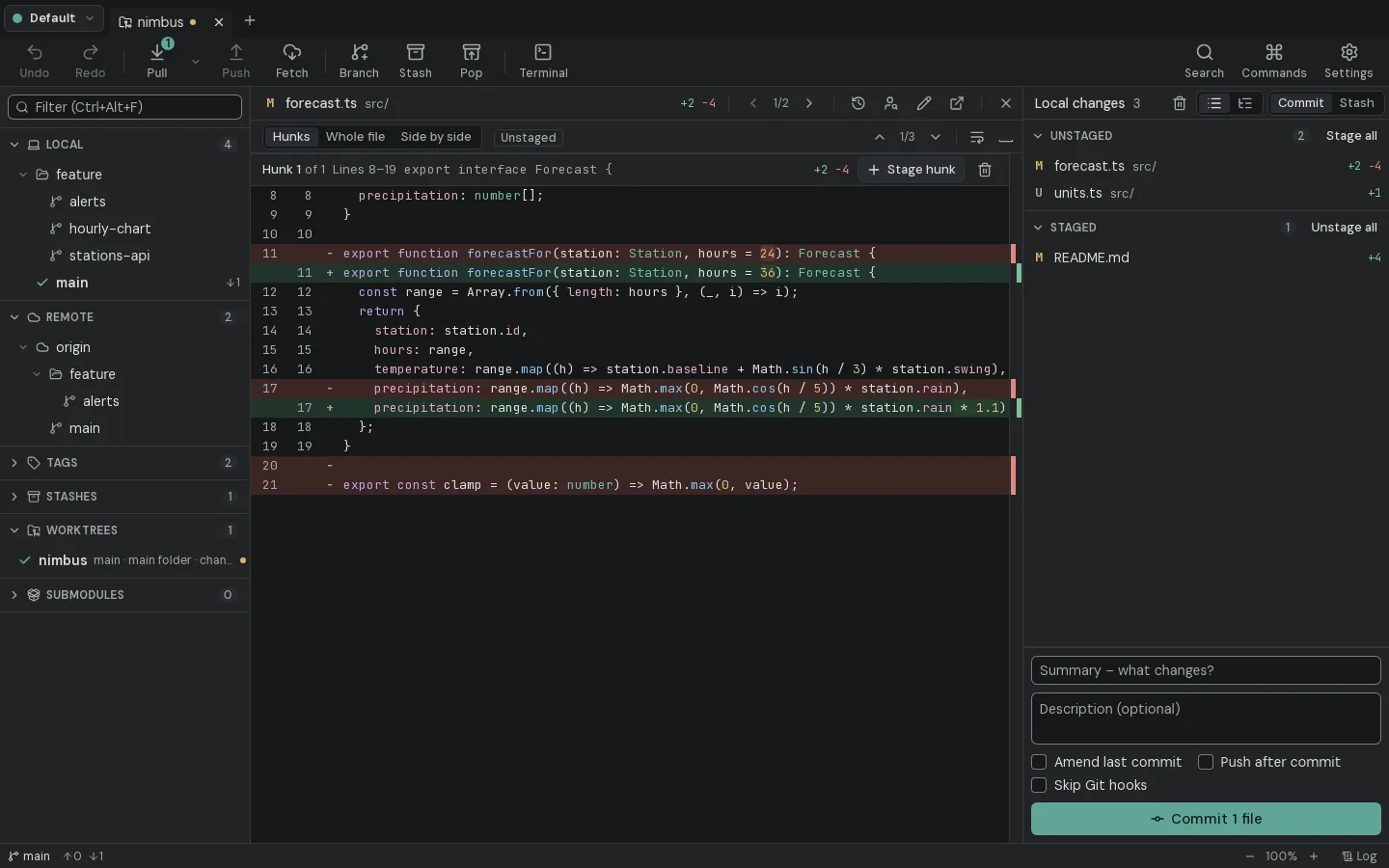
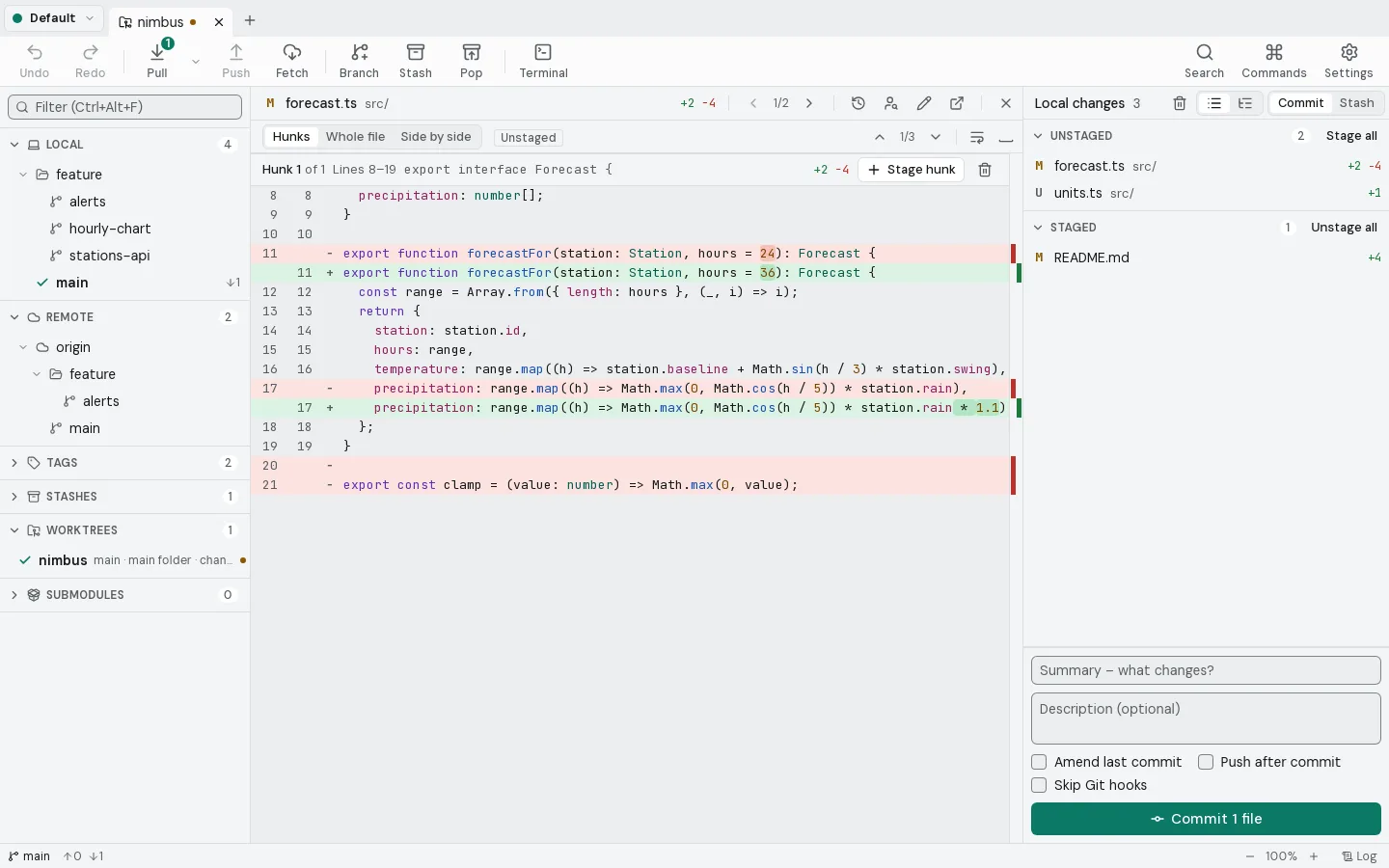
Stage single lines.
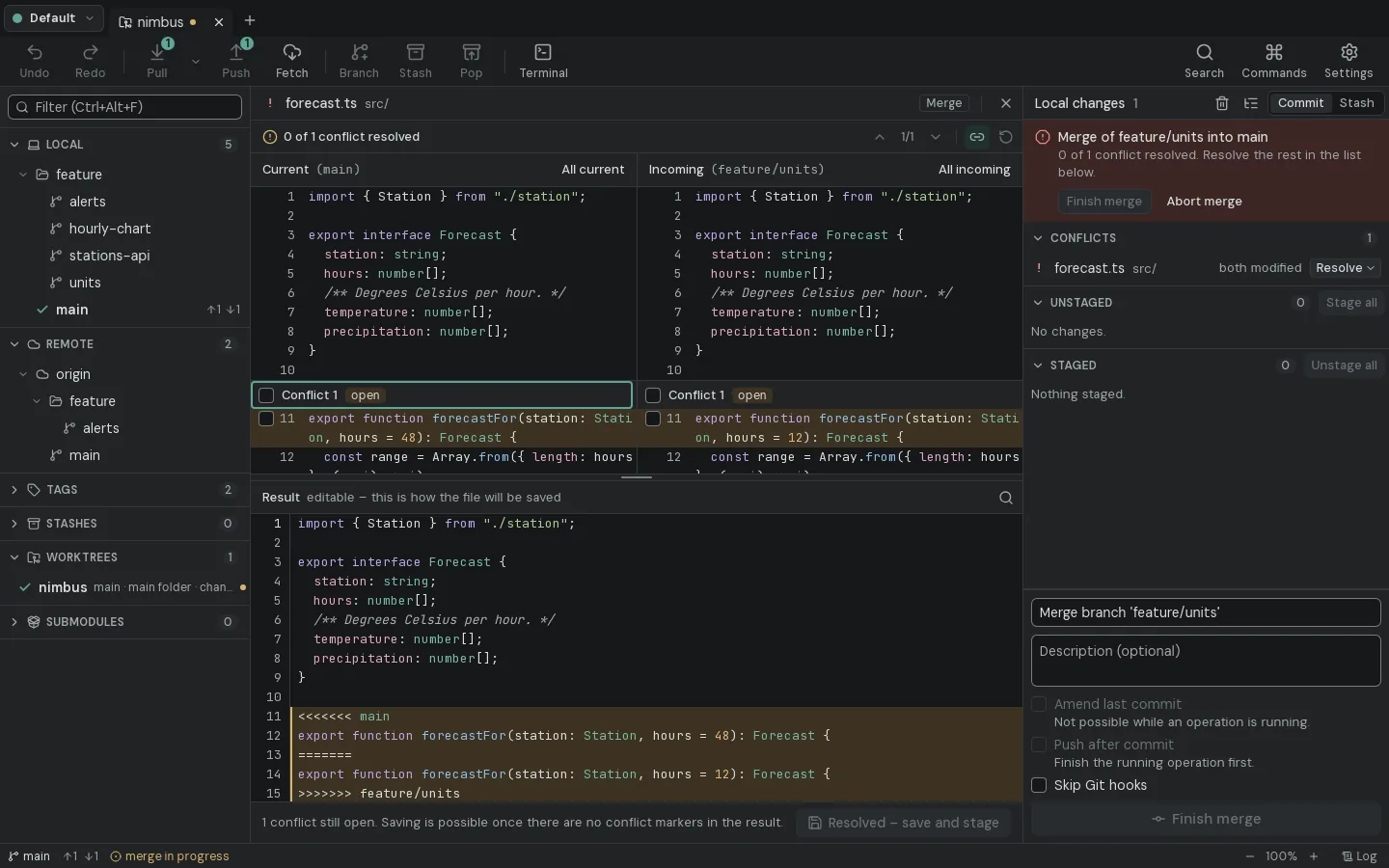
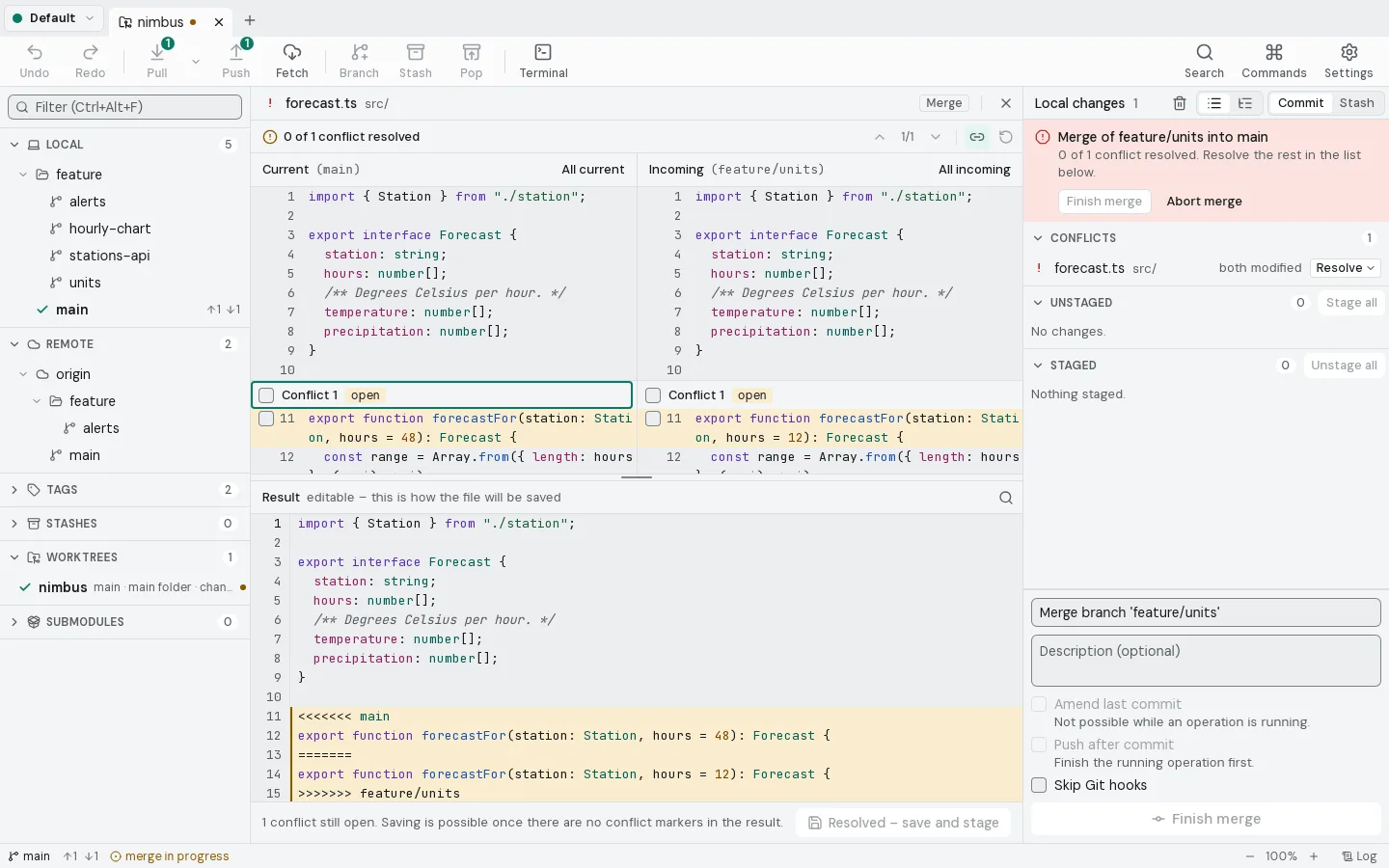
Resolve conflicts side by side.
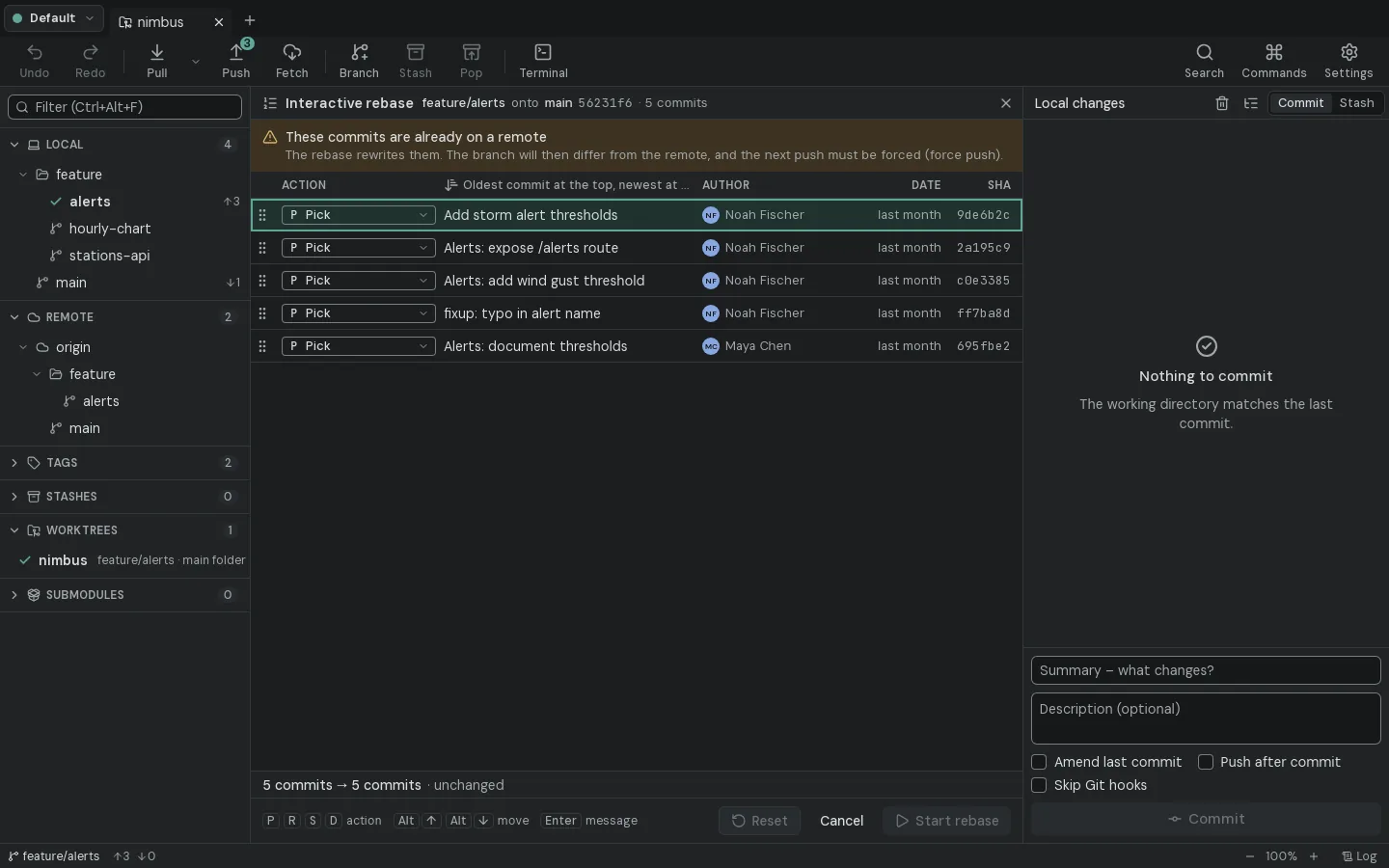
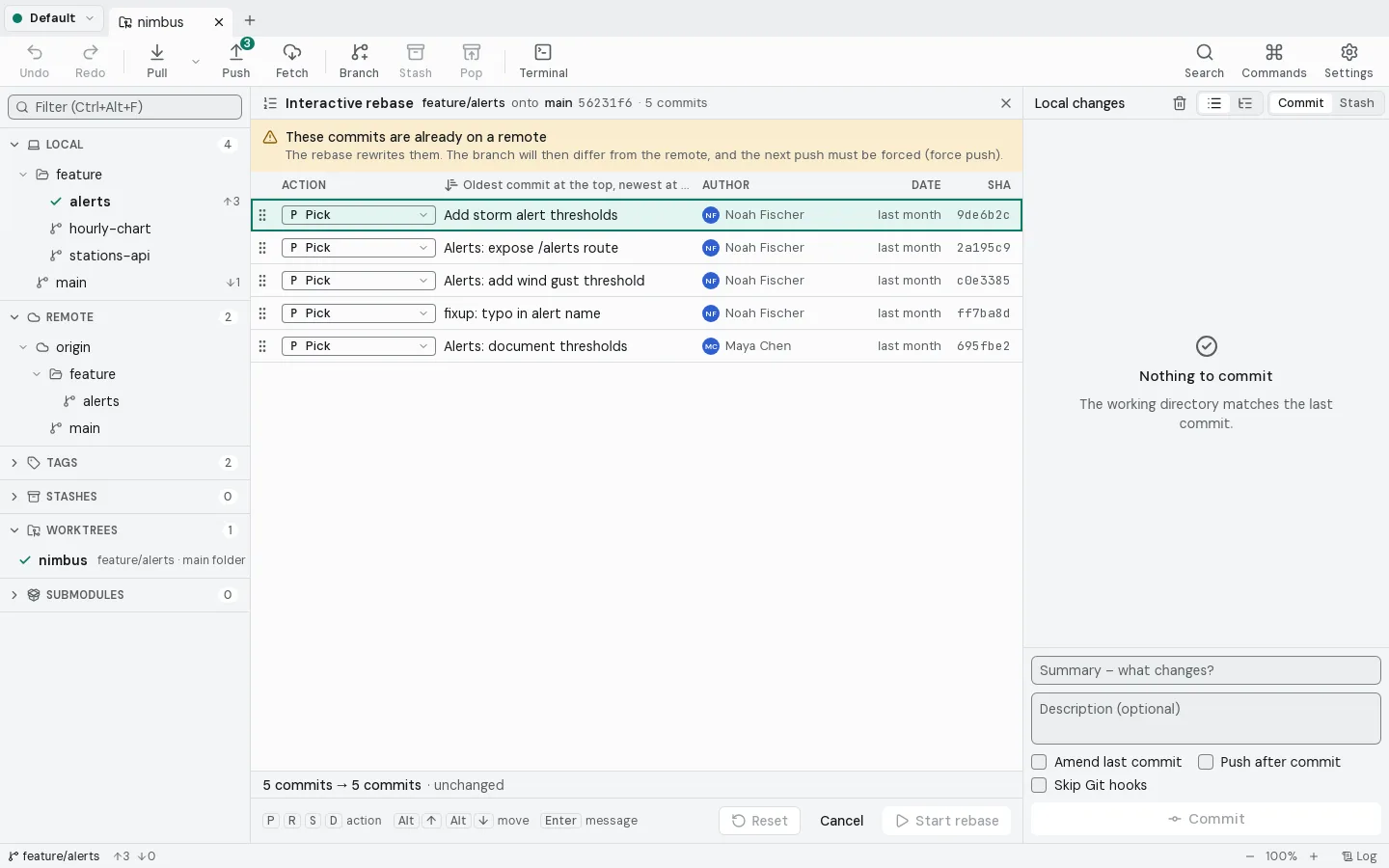
Rewrite history without risk.
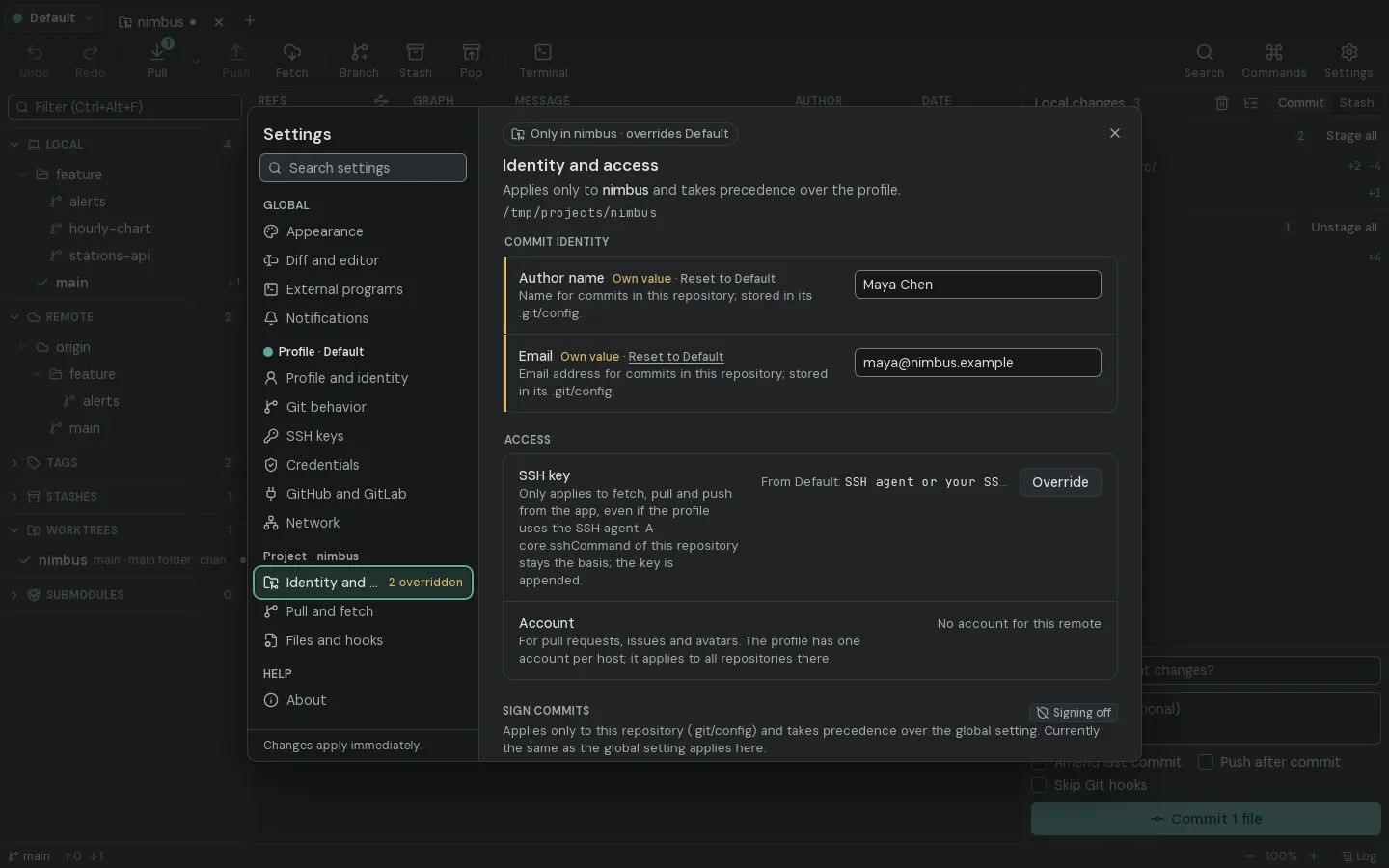
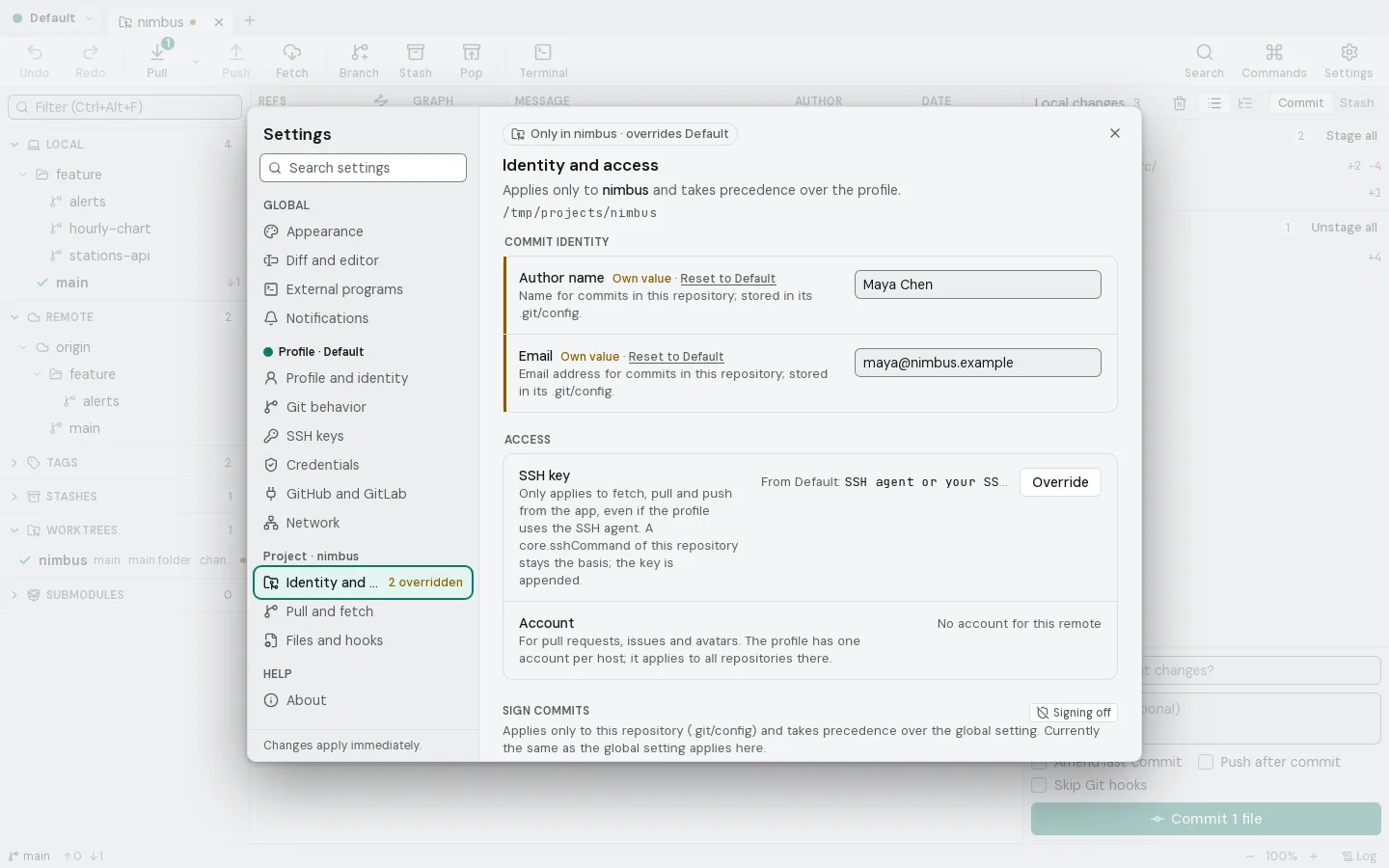
Set it up once. Per project.
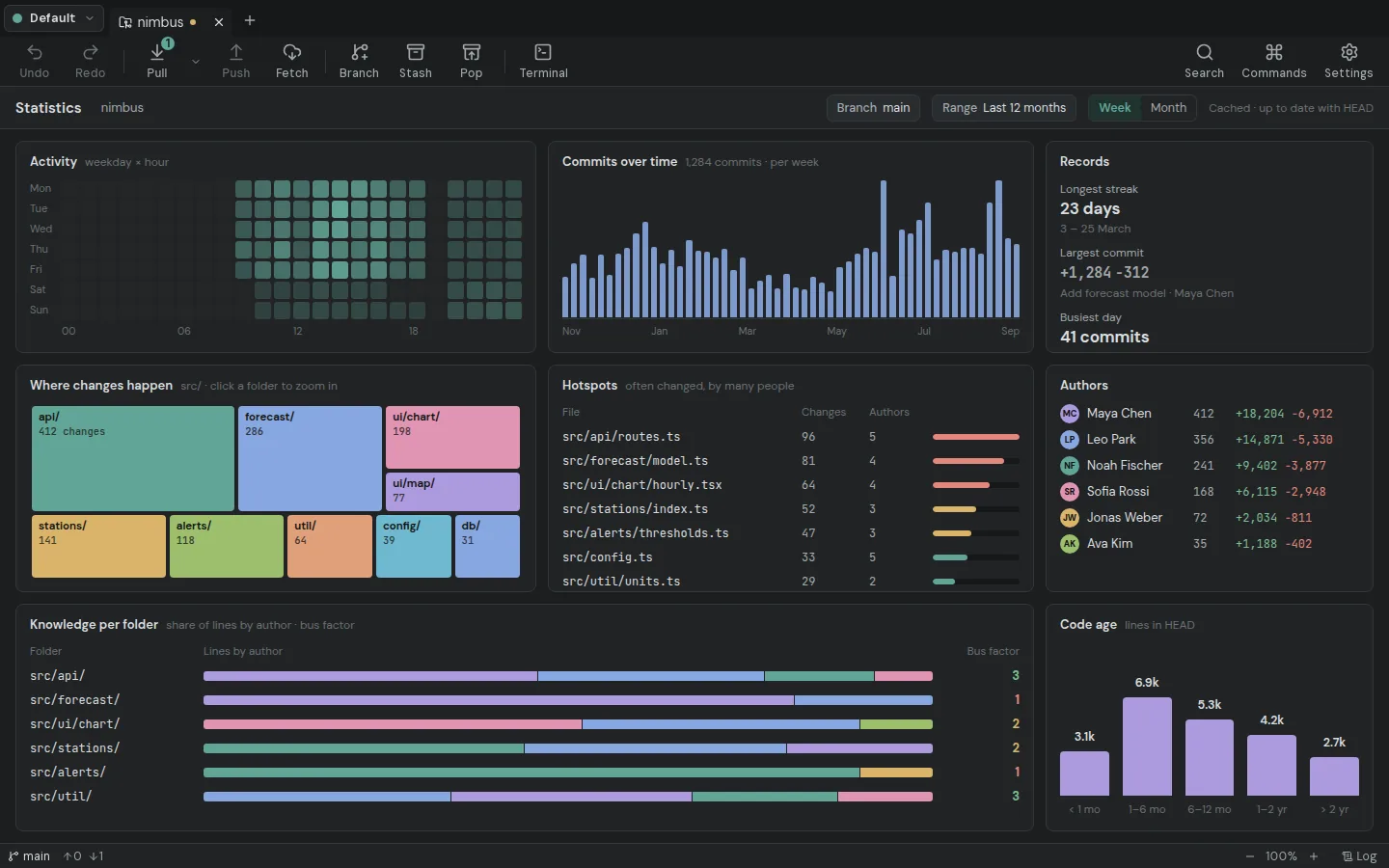
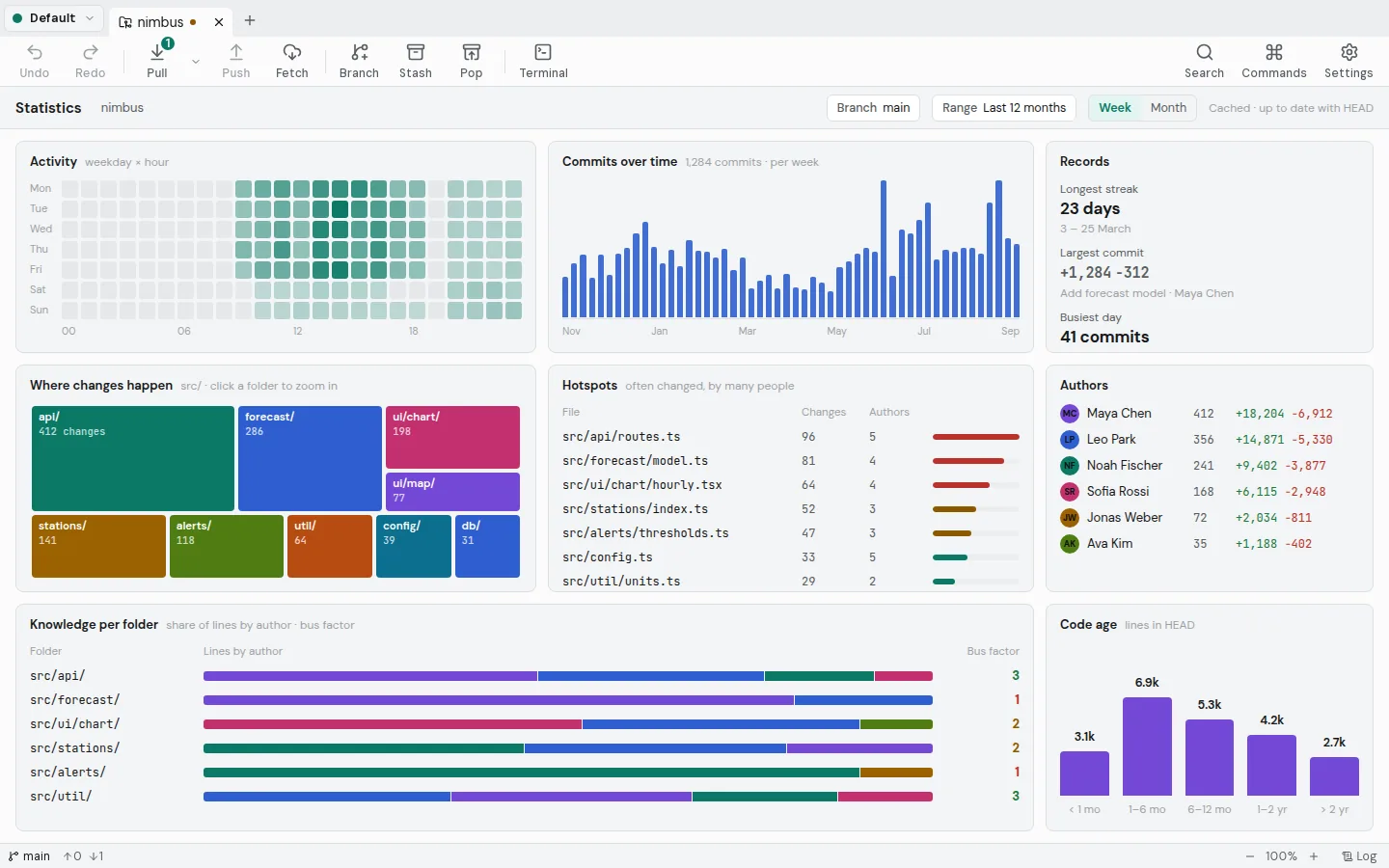
Your repository, in numbers.
Built forthe hard parts.
See conflicts before you merge.New in 1.1
Undo anything. Even a reset.
Find the commit that broke it.New in 1.1
Stash just these lines.New in 1.1
Swipe between two versions of an image.New in 1.1
Rebase a stack. Every branch follows.New in 1.1
Work, personal, clients: as many profiles as you need.
Everything Git can do.In one window.
- Commit graph
- Line staging
- Interactive rebase
- Three-way merge
- Cherry-pick
- Named stashes
- Undo
- Blame
- File history
- Reflog
- Bisect
- Image diff
- Conflict preview
- Partial stash
- Stacked rebase
- Worktrees
- Submodules
- Git LFS
- Git Flow
- Signed commits
- Pull requests
- SSH keys
- Profiles
- Built-in terminal
- Gitea & Forgejo
- Bitbucket
- Azure DevOps
- LFS file locks
- Custom commands
- Statistics
- Ticket links
- Command line
Same repository.Two worlds.
$ git log --graph --oneline --decorate --all
* 6f29c45 (origin/main, origin/HEAD) Add harbor wind sensor
| * 77e425d (refs/stash) On main: Try a shorter cache TTL
|/|
| * 250b9bf index on main: 56231f6 Document the API in the README
|/
| * 487de0b (feature/stations-api) List all stations at /stations
|/
| * 2a195c9 (origin/feature/alerts, feature/alerts) Alerts: expose /alerts route
| * 9de6b2c Add storm alert thresholds
|/
* 56231f6 (HEAD -> main, tag: v0.2.0) Document the API in the README
*   7d85acf Merge branch 'feature/hourly-chart'
|\
| * ddb102d (feature/hourly-chart) Chart: show precipitation as second row
| * ad106d9 Render hourly temperature chart
* | 7d262f9 Cache forecasts for ten minutes
* |   7d7f961 Merge branch 'fix/negative-rain'
|\ \
| |/
|/|
| * b9535ea Clamp precipitation to zero
|/
* 34dc602 (tag: v0.1.0) Add HTTP server with /forecast route
* c99e7c2 Add forecast model
* bf4421c Initial project setup
No account.No telemetry.No cloud.Just git.
Your repositories stay on your disk. Your secrets stay in the OS keychain. An optional daily update check asks GitHub for new versions – switch it off in the settings.
Forkyard 1.1.0
Free and open source under the GPL-3.0.
ChecksumsRelease notesBuild from source
Verify a download
Run this in the folder with the file and compare the result with its line in SHA256SUMS.txt.
Get-FileHash .\Forkyard_1.1.0_x64-setup.exe -Algorithm SHA256# expected 70b4b783858fa49fa1c80a3932291101788f64ccd1fcca3a8ac2dd3743c98eaa
Built in the open.Join in.

One person has written Forkyard so far. You could be the second.
Frequently asked questions
Is Forkyard free?
Yes. Forkyard is free and open-source software under the GNU General Public License v3.0. There is no paid edition and no feature behind a login.
Do I need an account?
No. Forkyard works with the repositories on your disk. You only sign in to GitHub, GitLab, Gitea/Forgejo, Bitbucket or Azure DevOps if you want to see pull requests and issues, and that token stays in your system keychain.
What can Forkyard do?
Everything you do with Git every day, in one window: a commit graph of all branches, staging of single lines, interactive rebase, a three-way merge tool for conflicts, cherry-pick, stashes, blame and file history. It also handles reflog, bisect, image diffs, conflict previews, worktrees, submodules, Git LFS with file locks, Git Flow, signed commits, custom commands, repository statistics and pull requests on GitHub, GitLab, Gitea/Forgejo, Bitbucket and Azure DevOps.
Can I undo a mistake?
Yes. Before a reset, a rebase or any other action that rewrites history, Forkyard saves a backup ref, so one click brings the old state back. Force pushes only run with --force-with-lease.
Which Git version does it need?
Forkyard uses the Git installed on your system, version 2.39 or newer. It runs the real git, so your config, hooks, SSH setup and credential helpers keep working.
Which systems are supported?
Windows 10 and 11 (x64 and ARM64), macOS (Apple Silicon and Intel) and Linux on x64 as deb, rpm and AppImage. The interface is available in English and German.
Does Forkyard send any data?
No telemetry and no Forkyard server. Crash reports stay on your machine unless you send one yourself. The app talks to the remotes you push to and pull from, to your Git host when you connect an account, and – both can be switched off – asks the GitHub releases once a day for a new version and loads author avatars from GitHub.
How does it compare to other Git clients?
If you know GitHub Desktop, Sourcetree or GitKraken, the layout will feel familiar: commit graph in the middle, branches on the left, changes on the right. Forkyard focuses on showing what Git actually does, line staging that keeps every byte, and staying fully local and open source.