 Forkyard
Der leistungsstarke Git-Client.Kostenlos und Open Source.
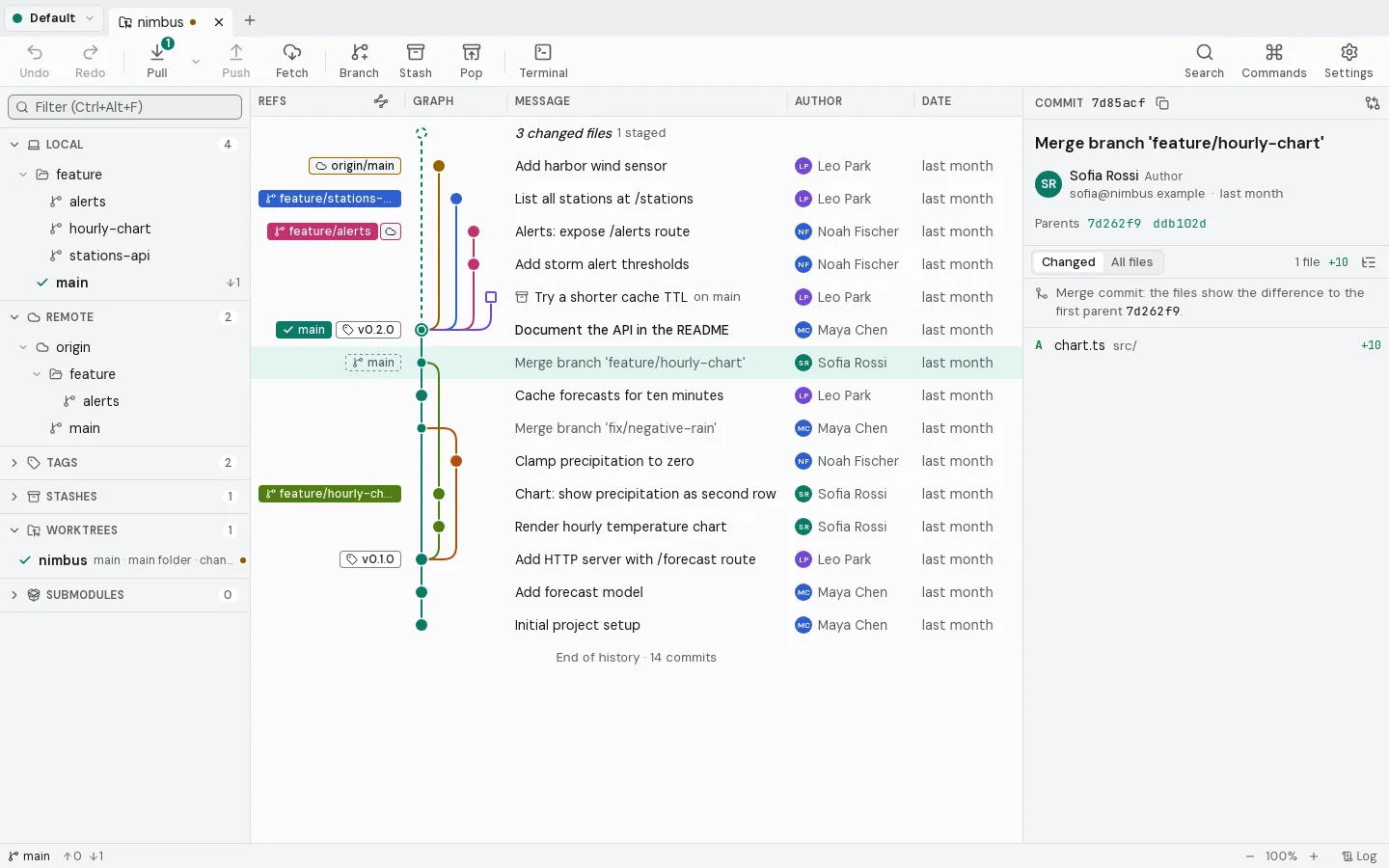
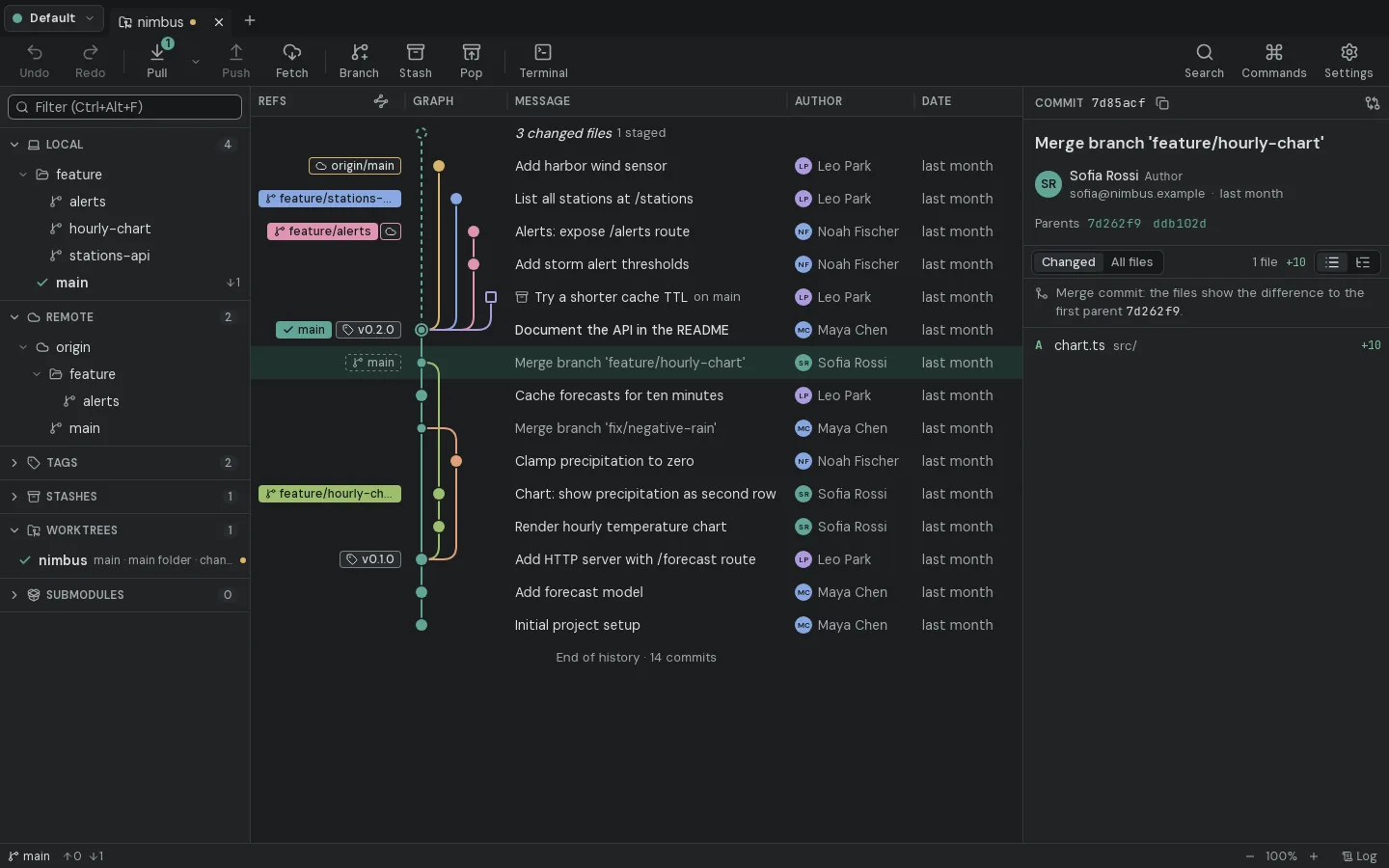
Kein Abo. Keine Kosten. Alles lokal.
Jeder Branch auf einen Blick.
Einzelne Zeilen stagen.
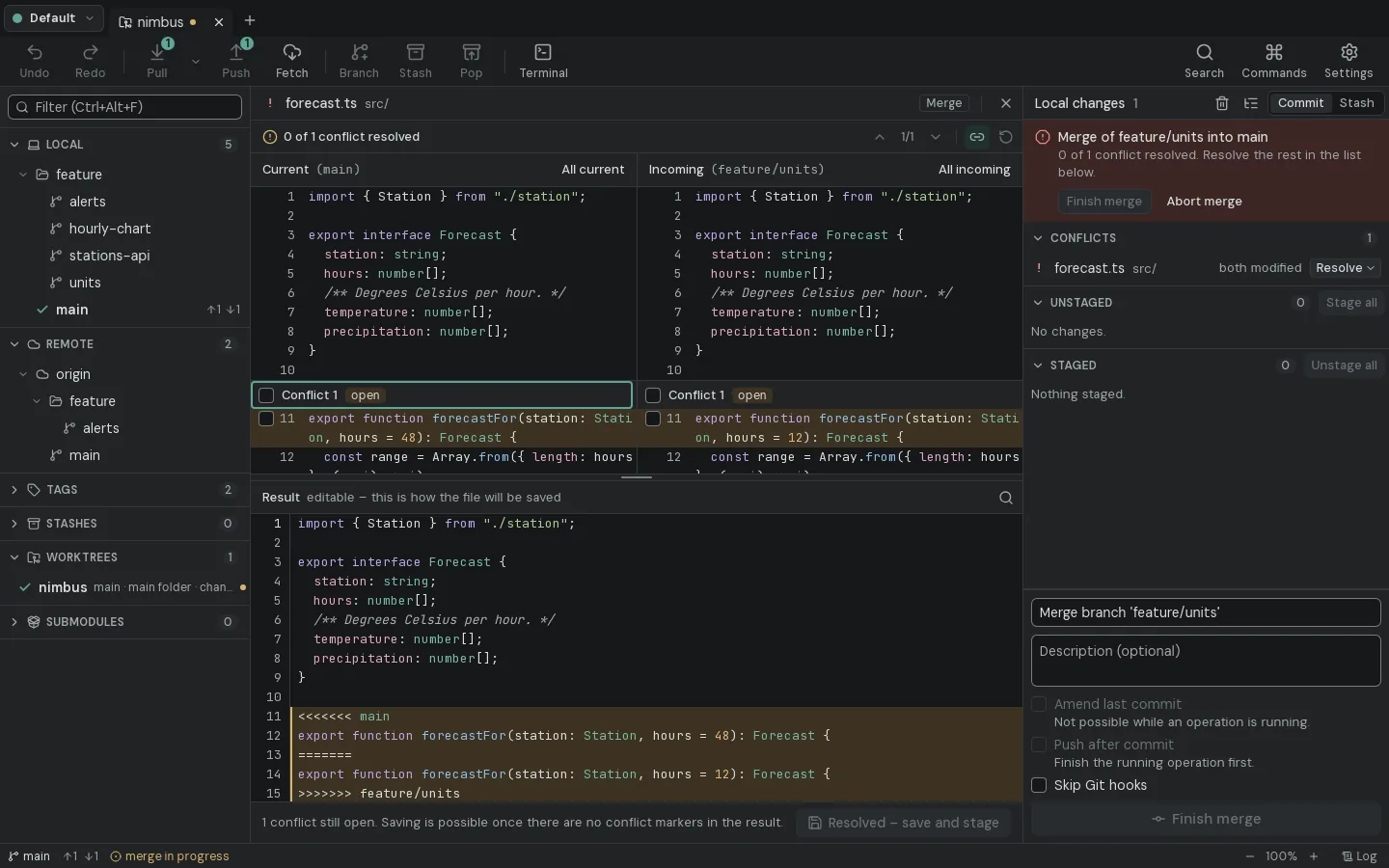
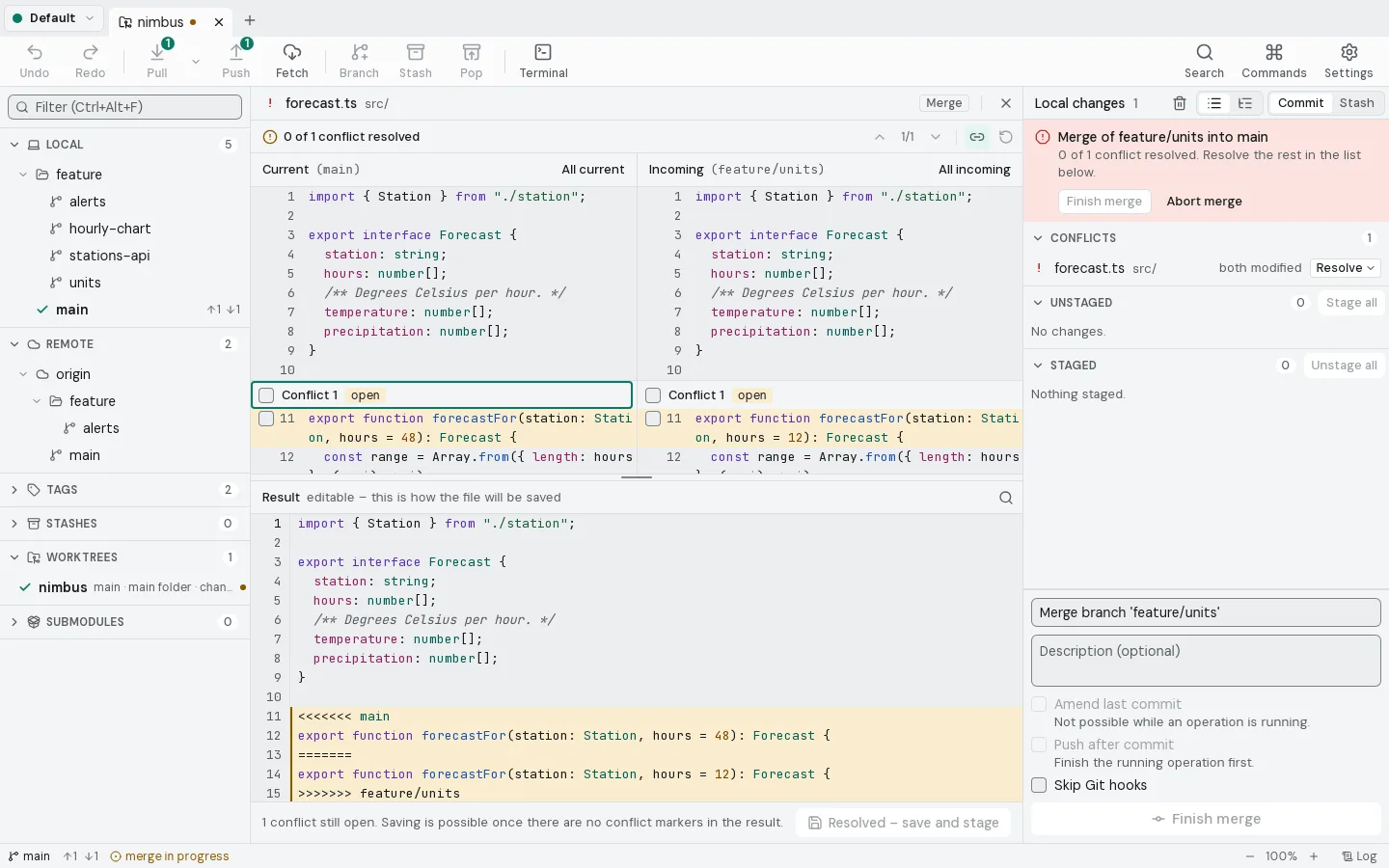
Konflikte nebeneinander lösen.
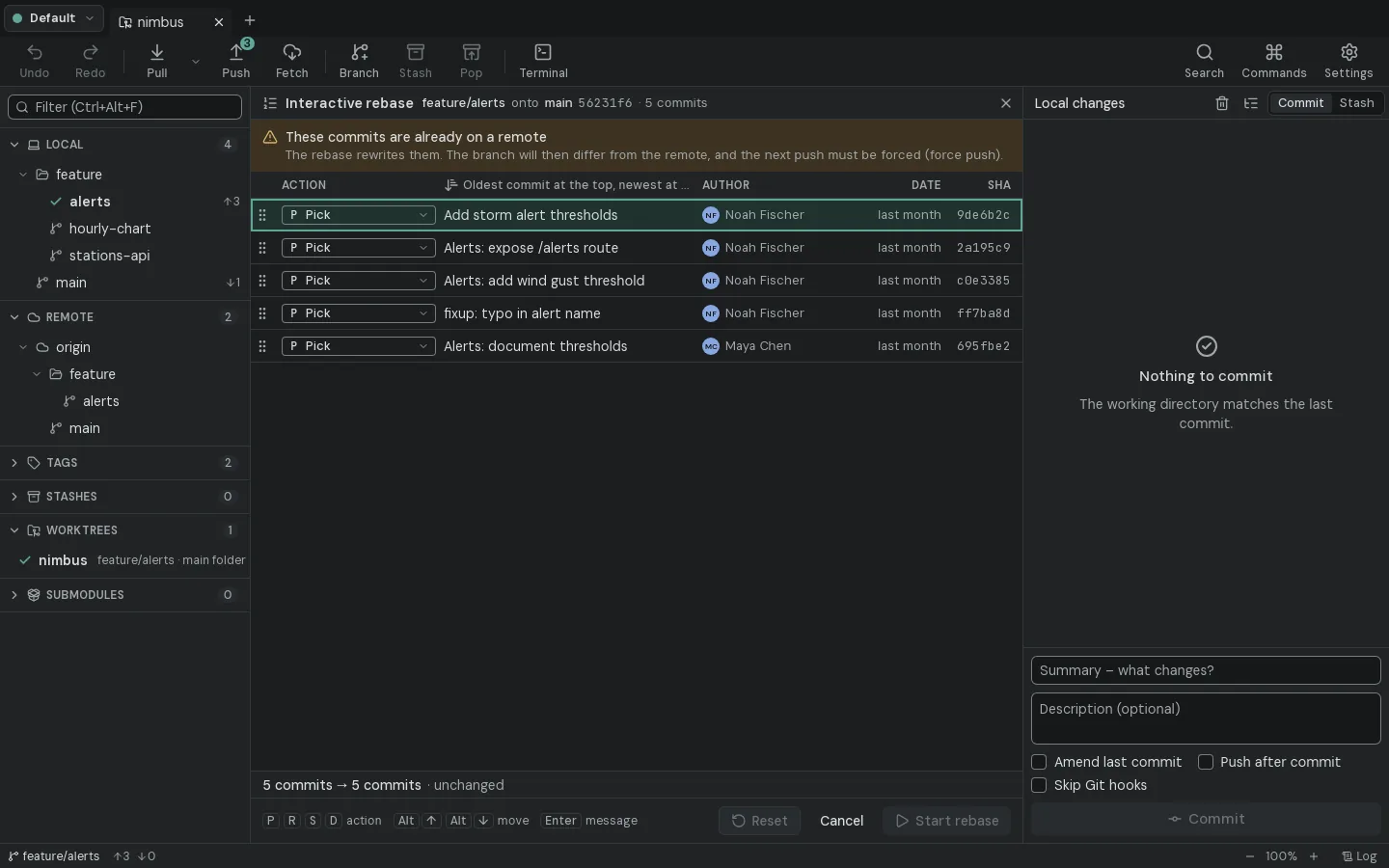
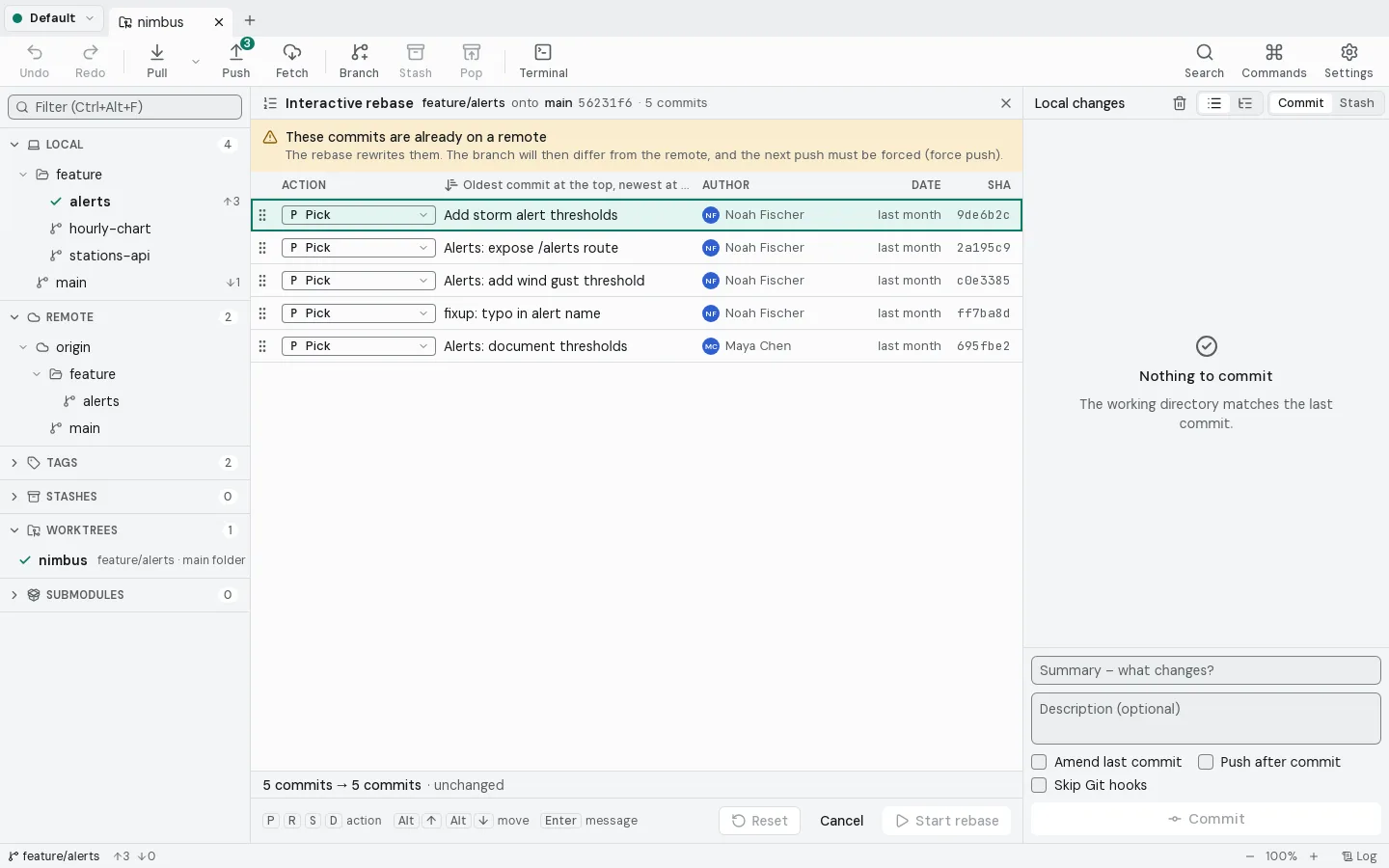
Geschichte umschreiben. Ohne Risiko.
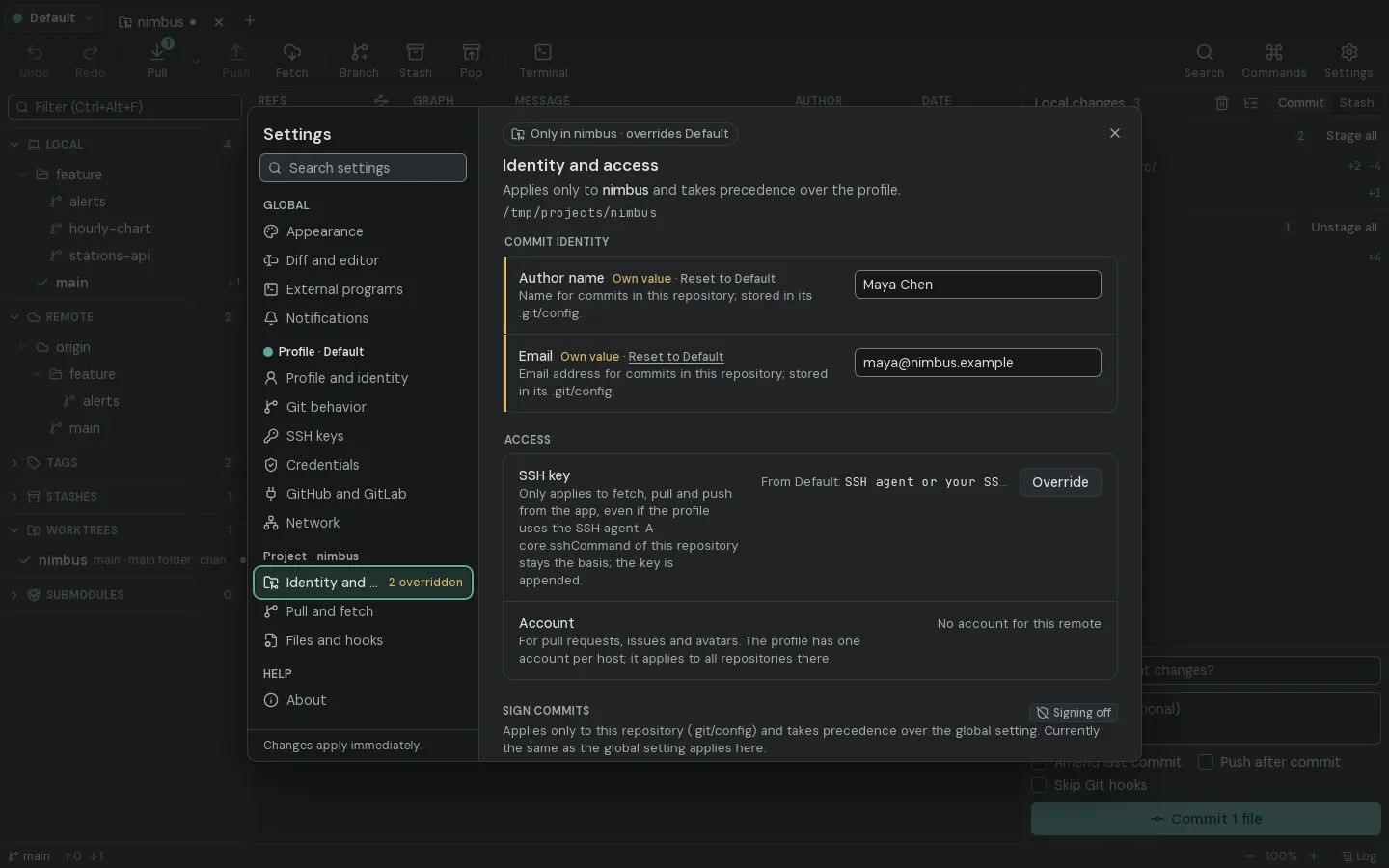
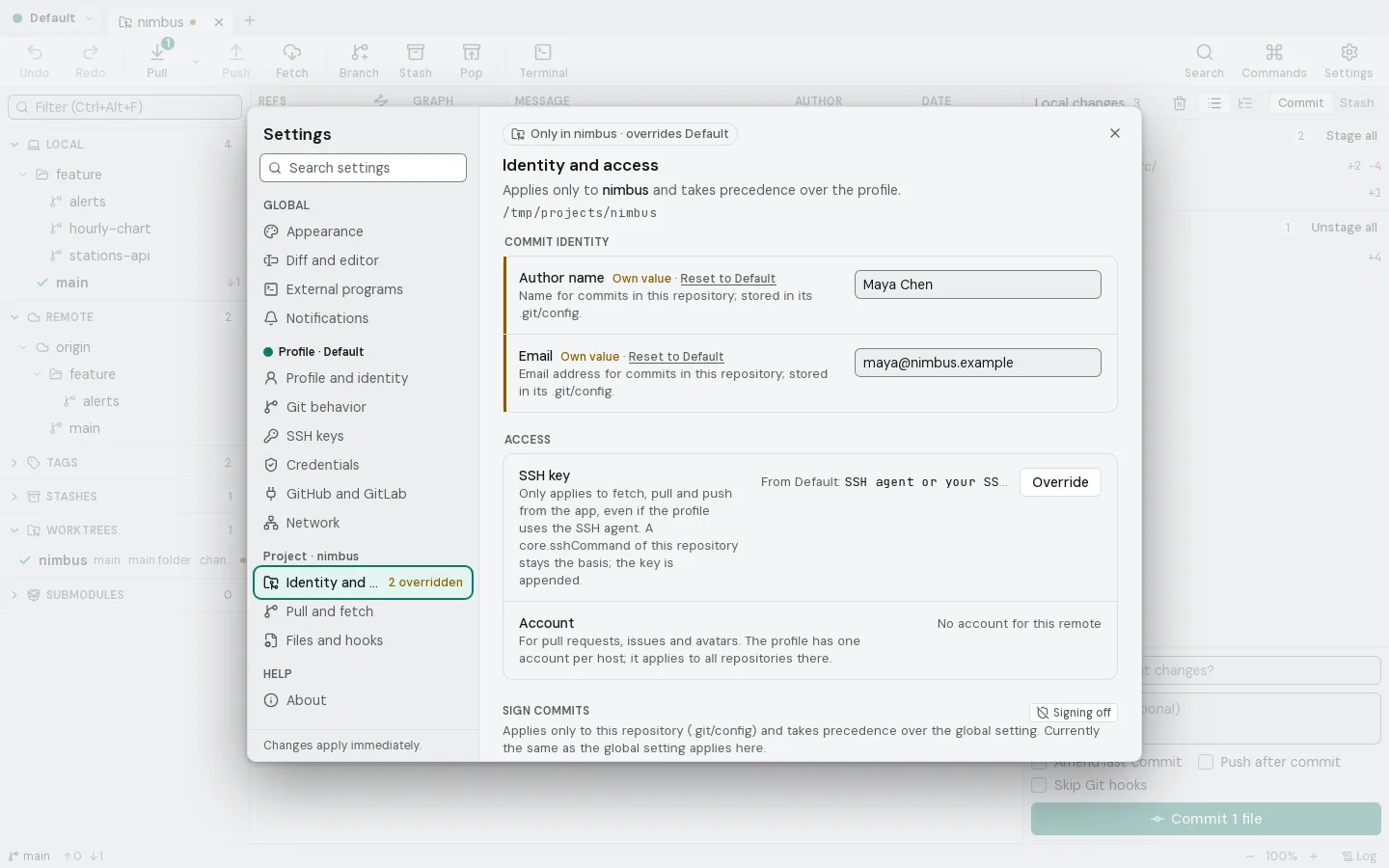
Einmal einrichten. Pro Projekt.
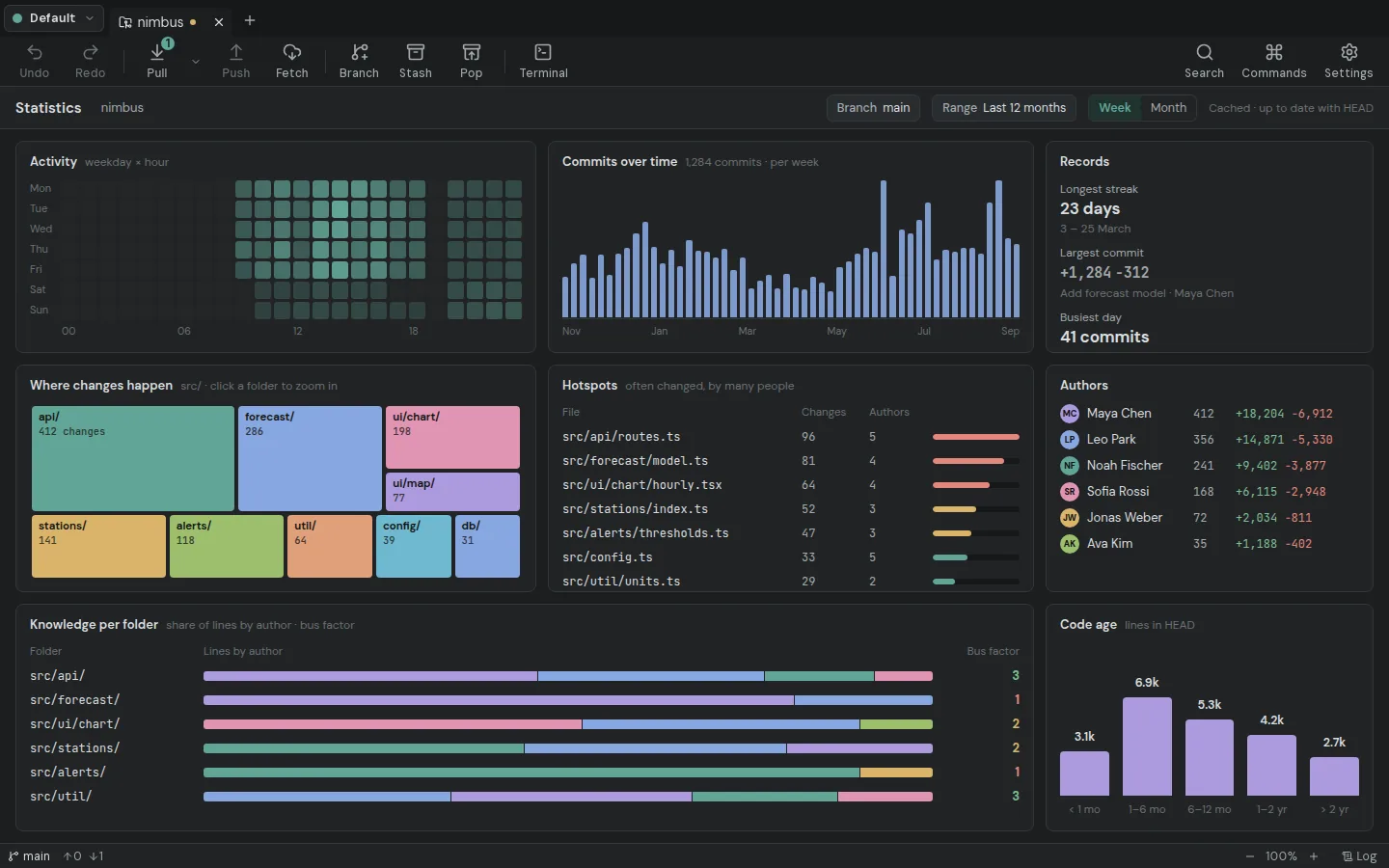
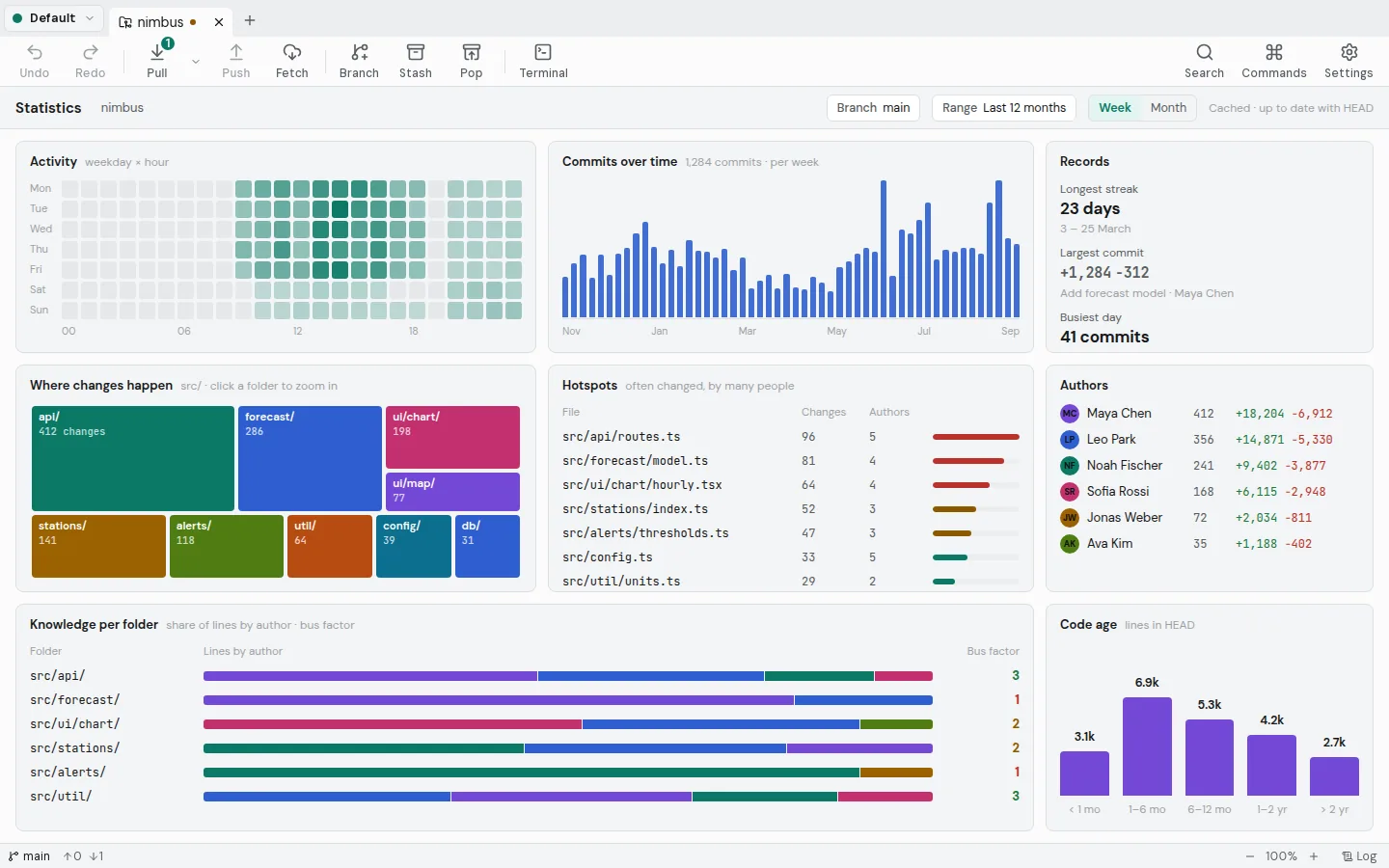
Dein Repository in Zahlen.
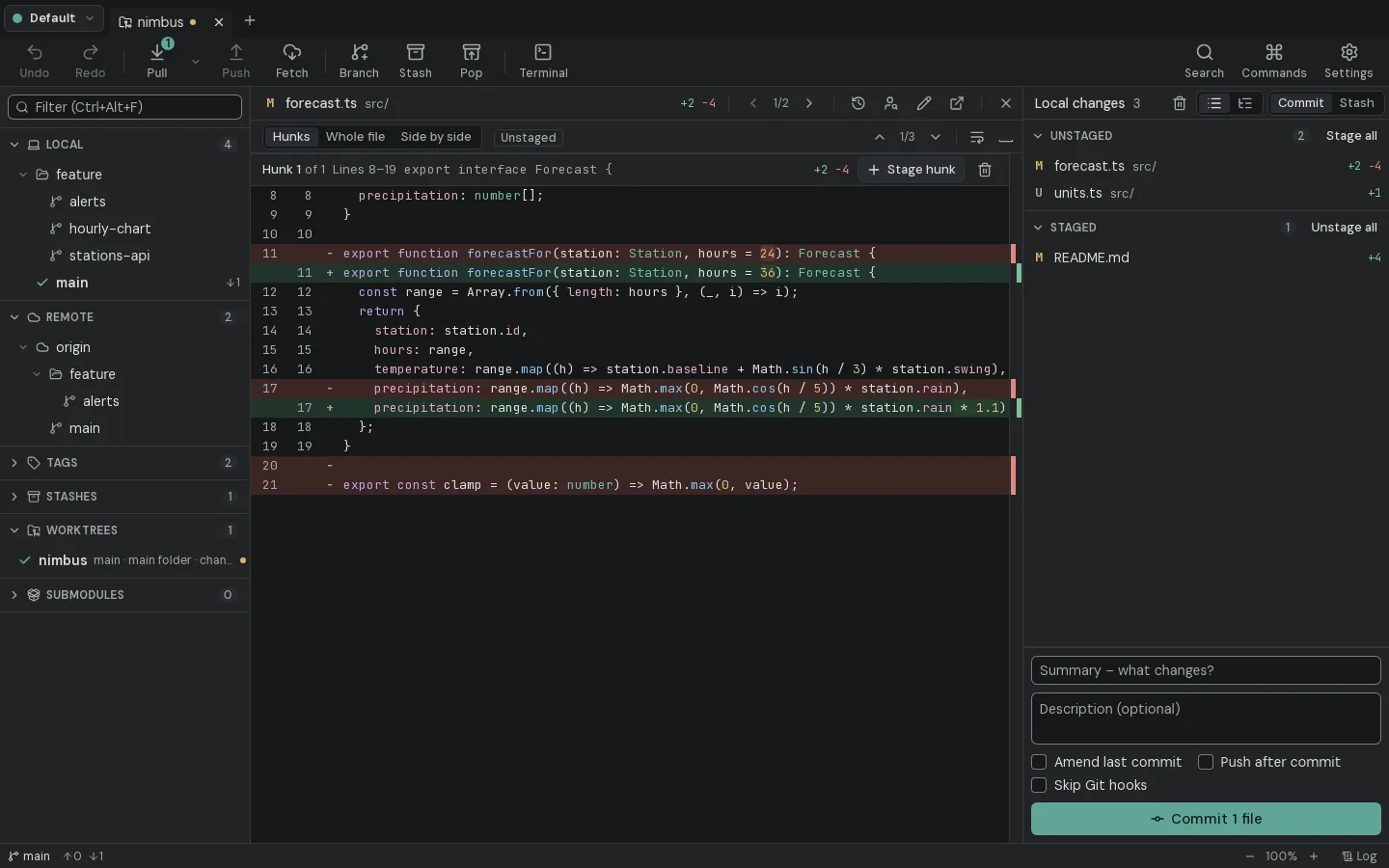
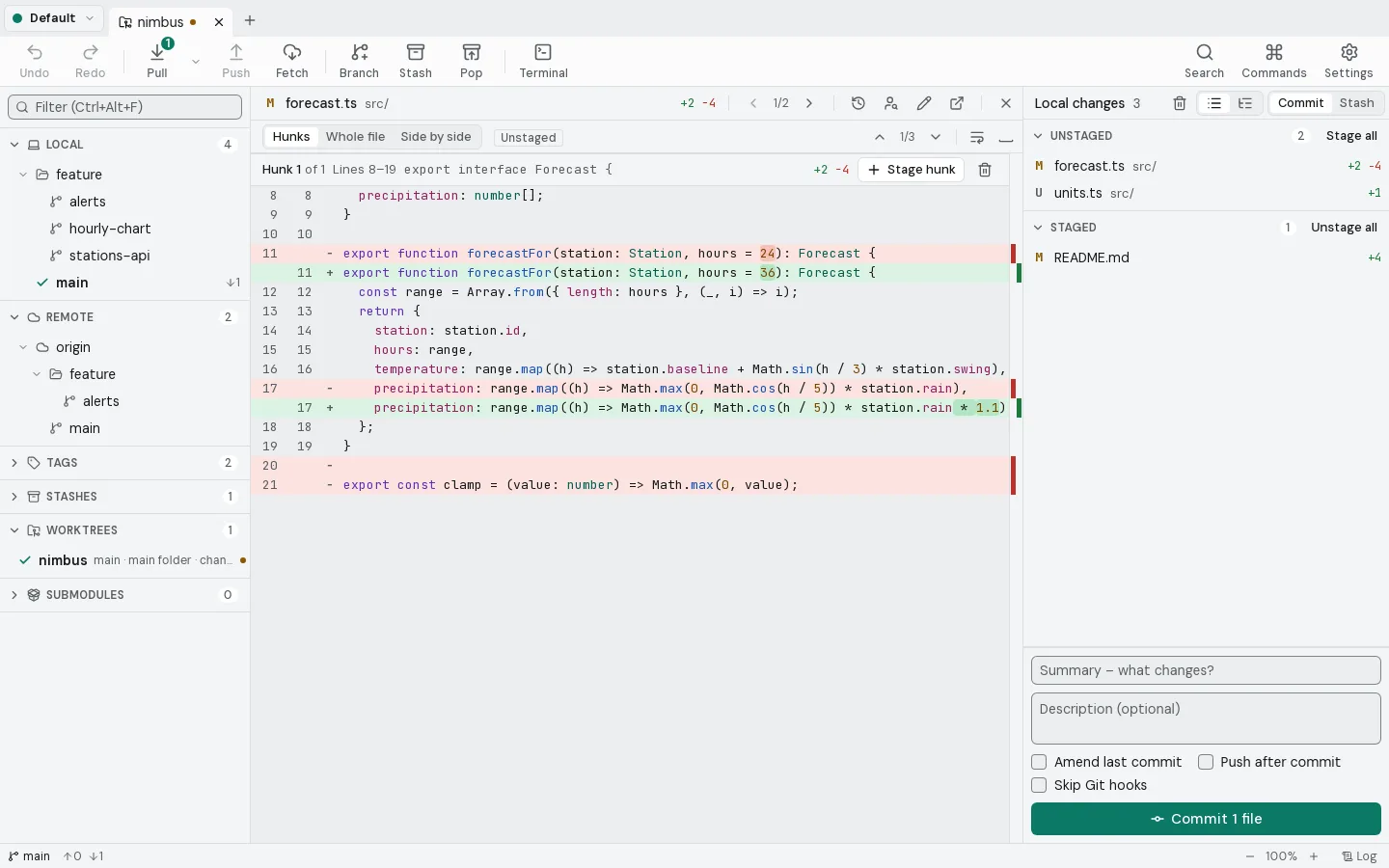
Gebaut fürdie kniffligen Momente.
Konflikte sehen, bevor du mergst.Neu in 1.1
Alles rückgängig. Sogar einen Reset.
Den Commit finden, der es kaputt gemacht hat.Neu in 1.1
Nur diese Zeilen stashen.Neu in 1.1
Zwischen zwei Versionen eines Bildes wischen.Neu in 1.1
Einen Stapel rebasen. Alle Branches ziehen mit.Neu in 1.1
Arbeit, Privat, Kunden: so viele Profile, wie du brauchst.
Alles, was Git kann.In einem Fenster.
- Commit-Graph
- Zeilen-Staging
- Interaktiver Rebase
- Drei-Wege-Merge
- Cherry-Pick
- Benannte Stashes
- Rückgängig
- Blame
- Dateihistorie
- Reflog
- Bisect
- Bild-Diff
- Konfliktvorschau
- Teil-Stash
- Gestapelter Rebase
- Worktrees
- Submodule
- Git LFS
- Git Flow
- Signierte Commits
- Pull Requests
- SSH-Schlüssel
- Profile
- Eingebautes Terminal
- Gitea & Forgejo
- Bitbucket
- Azure DevOps
- LFS-Sperren
- Eigene Befehle
- Statistik
- Ticket-Links
- Kommandozeile
Dasselbe Repository.Zwei Welten.
$ git log --graph --oneline --decorate --all
* 6f29c45 (origin/main, origin/HEAD) Add harbor wind sensor
| * 77e425d (refs/stash) On main: Try a shorter cache TTL
|/|
| * 250b9bf index on main: 56231f6 Document the API in the README
|/
| * 487de0b (feature/stations-api) List all stations at /stations
|/
| * 2a195c9 (origin/feature/alerts, feature/alerts) Alerts: expose /alerts route
| * 9de6b2c Add storm alert thresholds
|/
* 56231f6 (HEAD -> main, tag: v0.2.0) Document the API in the README
*   7d85acf Merge branch 'feature/hourly-chart'
|\
| * ddb102d (feature/hourly-chart) Chart: show precipitation as second row
| * ad106d9 Render hourly temperature chart
* | 7d262f9 Cache forecasts for ten minutes
* |   7d7f961 Merge branch 'fix/negative-rain'
|\ \
| |/
|/|
| * b9535ea Clamp precipitation to zero
|/
* 34dc602 (tag: v0.1.0) Add HTTP server with /forecast route
* c99e7c2 Add forecast model
* bf4421c Initial project setup
Kein Konto.Keine Telemetrie.Keine Cloud.Nur git.
Deine Repositories bleiben auf deiner Festplatte. Deine Zugangsdaten im Schlüsselbund des Systems. Eine tägliche Update-Suche fragt bei GitHub nach neuen Versionen – abschaltbar in den Einstellungen.
Forkyard 1.1.0
Kostenlos und quelloffen unter der GPL-3.0.
PrüfsummenRelease-NotesAus dem Quellcode bauen
Download prüfen
Führ das im Ordner mit der Datei aus und vergleiche das Ergebnis mit ihrer Zeile in SHA256SUMS.txt.
Get-FileHash .\Forkyard_1.1.0_x64-setup.exe -Algorithm SHA256# erwartet 70b4b783858fa49fa1c80a3932291101788f64ccd1fcca3a8ac2dd3743c98eaa
Offen entwickelt.Mach mit.

Bisher hat eine Person an Forkyard geschrieben. Du könntest die zweite sein.
Häufige Fragen
Ist Forkyard kostenlos?
Ja. Forkyard ist freie Open-Source-Software unter der GNU General Public License v3.0. Es gibt keine Bezahlversion und keine Funktion hinter einem Login.
Brauche ich ein Konto?
Nein. Forkyard arbeitet mit den Repositories auf deiner Festplatte. Bei GitHub, GitLab, Gitea/Forgejo, Bitbucket oder Azure DevOps meldest du dich nur an, wenn du Pull Requests und Issues sehen willst, und dieses Token bleibt im Schlüsselbund deines Systems.
Was kann Forkyard?
Alles, was du täglich mit Git machst, in einem Fenster: ein Commit-Graph aller Branches, Staging einzelner Zeilen, interaktiver Rebase, ein Drei-Wege-Merge-Tool für Konflikte, Cherry-Pick, Stashes, Blame und Dateihistorie. Dazu Reflog, Bisect, Bild-Diffs, Konfliktvorschau, Worktrees, Submodule, Git LFS mit Dateisperren, Git Flow, signierte Commits, eigene Befehle, Repository-Statistiken und Pull Requests auf GitHub, GitLab, Gitea/Forgejo, Bitbucket und Azure DevOps.
Kann ich einen Fehler rückgängig machen?
Ja. Vor einem Reset, einem Rebase oder jeder anderen Aktion, die die Historie umschreibt, legt Forkyard eine Sicherung an, und ein Klick holt den alten Stand zurück. Force-Pushes laufen nur mit --force-with-lease.
Welche Git-Version wird gebraucht?
Forkyard nutzt das auf deinem System installierte Git ab Version 2.39. Es ruft das echte git auf, deshalb funktionieren deine Konfiguration, Hooks, SSH-Einstellungen und Credential-Helper weiter.
Welche Systeme werden unterstützt?
Windows 10 und 11 (x64 und ARM64), macOS (Apple Silicon und Intel) und Linux auf x64 als deb, rpm und AppImage. Die Oberfläche gibt es auf Englisch und Deutsch.
Sendet Forkyard Daten?
Keine Telemetrie und kein Forkyard-Server. Absturzberichte bleiben auf deinem Rechner, außer du schickst selbst einen. Die App spricht mit den Remotes, zu denen du pushst und von denen du pullst, mit deinem Git-Hoster, wenn du ein Konto verbindest, und – beides abschaltbar – fragt einmal am Tag die GitHub-Releases nach einer neuen Version und lädt Autoren-Avatare von GitHub.
Wie schneidet Forkyard im Vergleich zu anderen Git-Clients ab?
Wer GitHub Desktop, Sourcetree oder GitKraken kennt, findet sich schnell zurecht: Commit-Graph in der Mitte, Branches links, Änderungen rechts. Forkyard legt den Schwerpunkt darauf, zu zeigen, was Git wirklich tut, auf Zeilen-Staging, das jedes Byte erhält, und darauf, komplett lokal und quelloffen zu bleiben.